Flag Dependencies
Overview
Suppose you have a feature flag coffee_machine, but it needs another feature hamster_power_grid turned on so it can be evaluated as enabled. Flag dependencies allow for establishing prerequisites between flags.
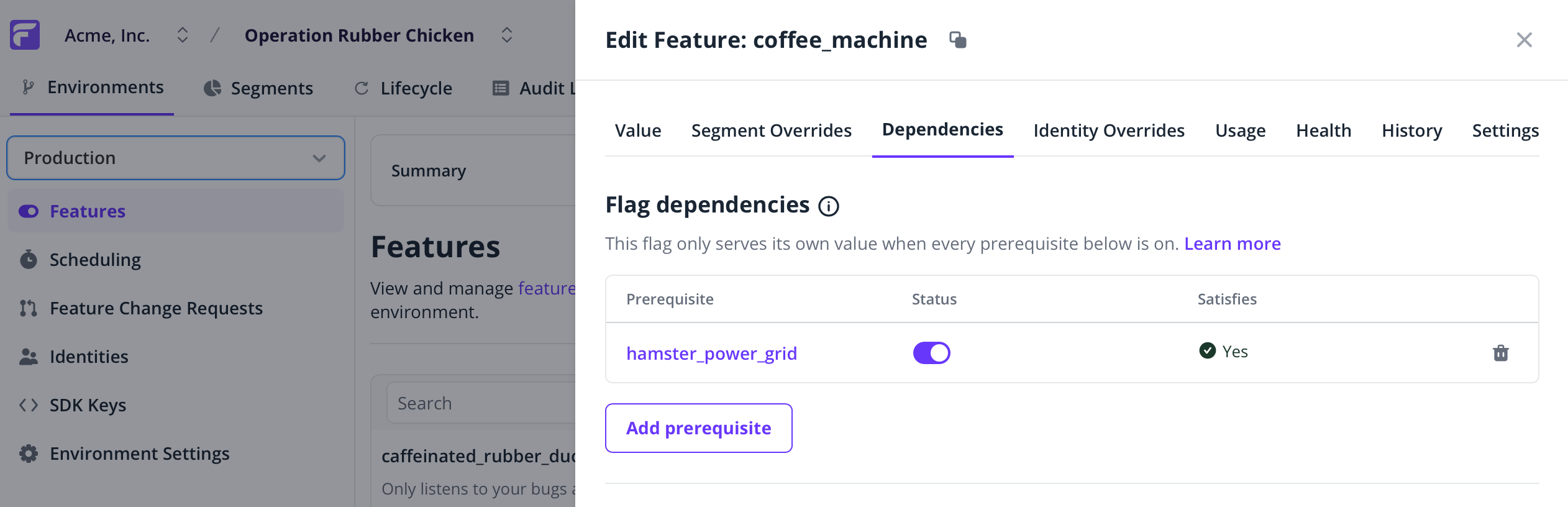
Flag dependencies are free and included in all plans.
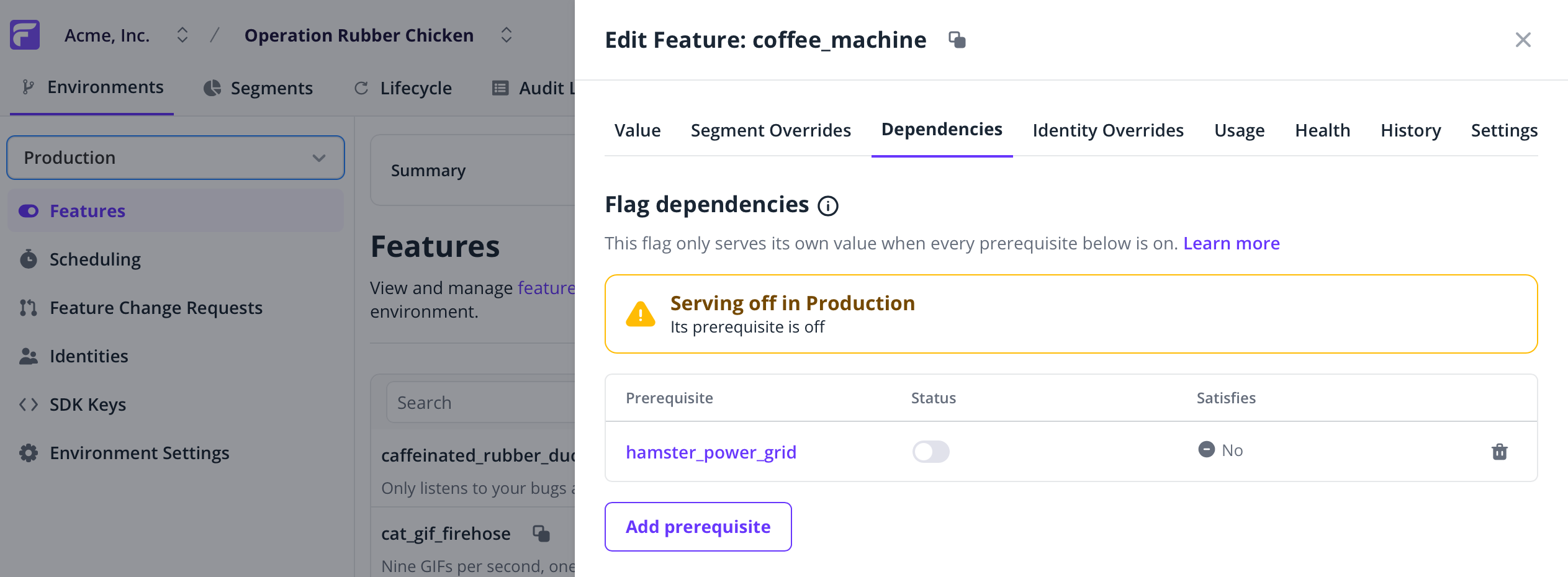
When the prerequisite feature is disabled, the dependent feature is also evaluated as disabled. By default, a feature prerequisite takes priority over segment overrides, but you can move overrides in the Segment Overrides tab to adjust if necessary. As usual, identity overrides always take precedence.
Adding a prerequisite to a feature flag
- Go to the Features list page.
- Make sure you select the environment on the left.
- Select any feature in the list.
- Visit the Dependencies tab.
- Click Add prerequisite, and choose from the list the prerequisite feature.
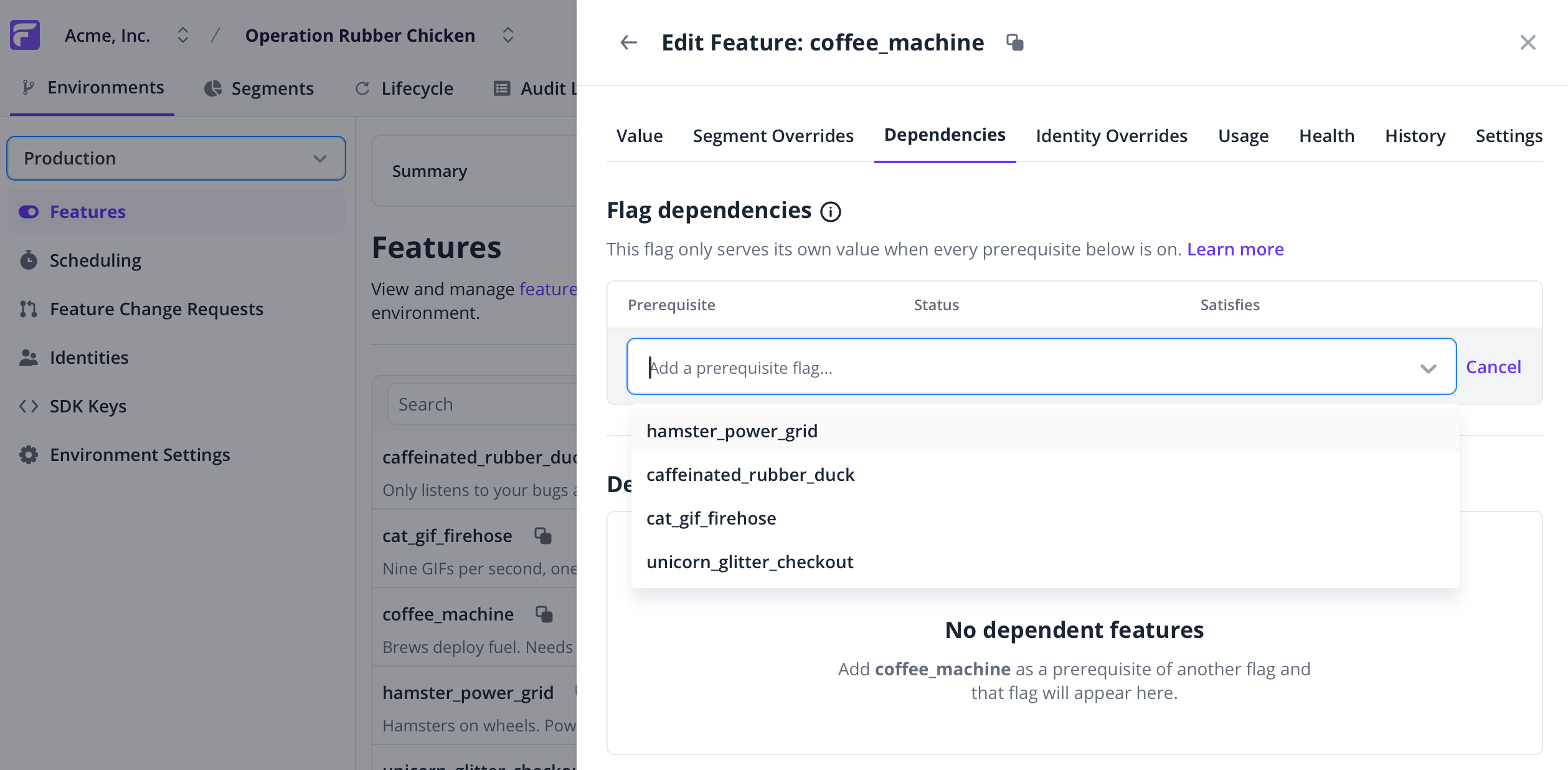
For now, a prerequisite feature cannot have another prerequisite itself — dependencies only go one level deep. However, a feature can have as many prerequisites as necessary.
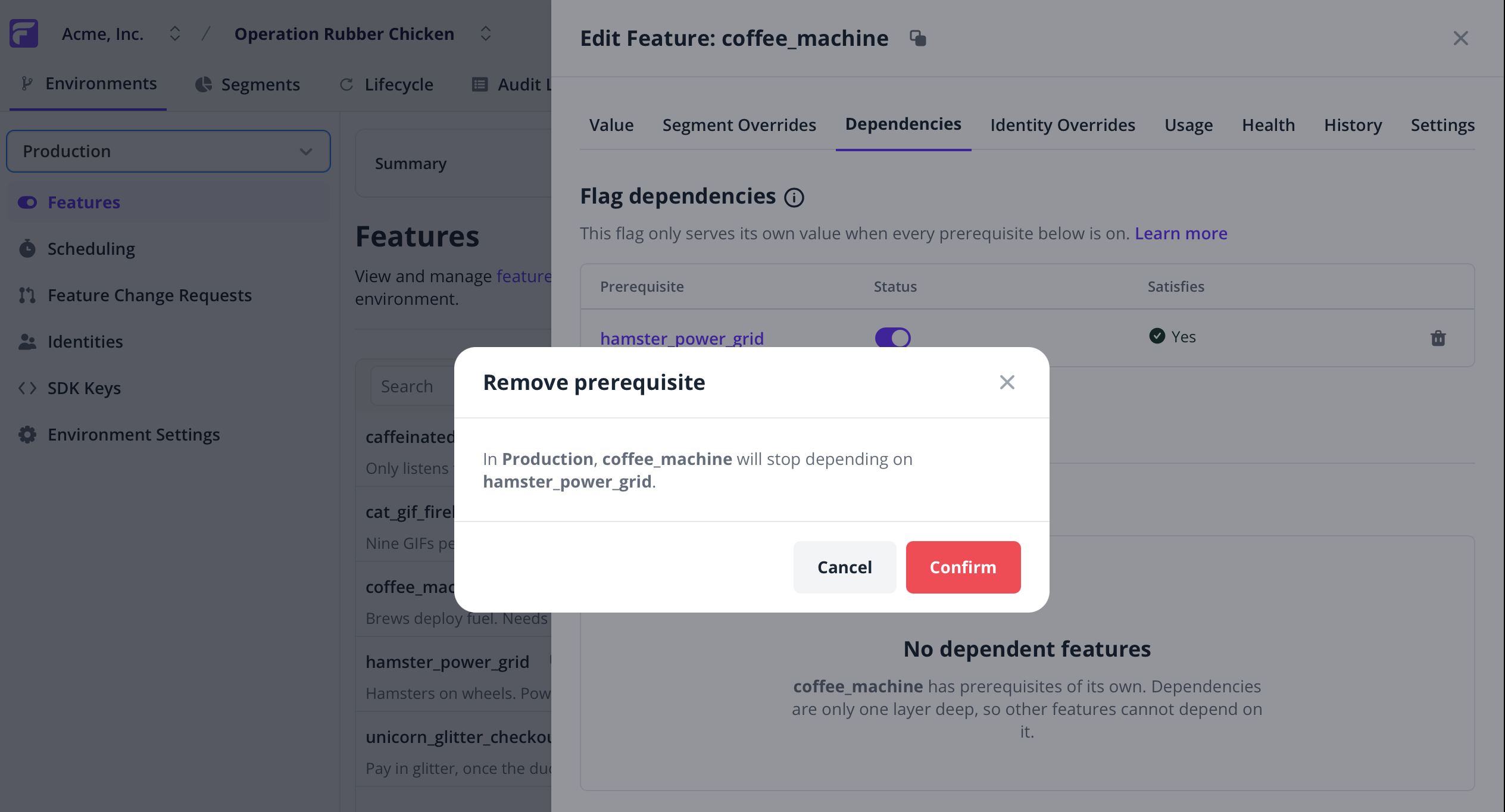
Removing a prerequisite
Just click the 🗑️ icon next to the prerequisite feature you want to remove in the Dependencies tab.
Change requests
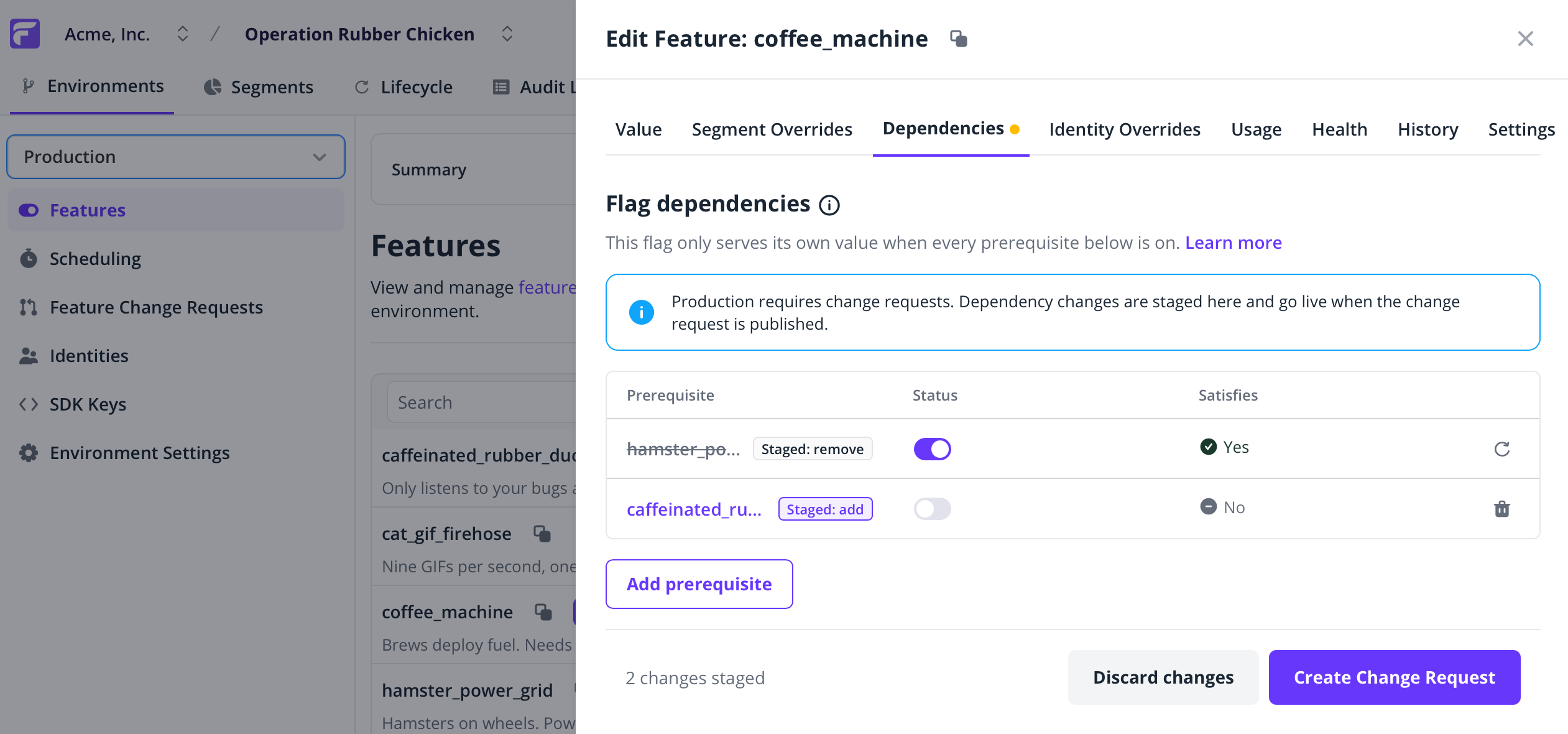
When Feature change requests are enabled, changes to feature prerequisites will also require approval.